Search all of PyPI.
From your terminal.
pip search was switched off years ago, and PyPI's search page now sits behind a browser challenge. pipseek keeps its own full-text index of every project on PyPI, searches it locally in about 100 ms, even offline, and pulls live details for the results you're looking at. It also checks your own environment for outdated and vulnerable packages. Public APIs only: no scraping, no accounts, no keys.
Find the package. Check the ones you have.
Search by what a package does, not just its name, then see what's outdated or vulnerable in your own environment.
Searches descriptions
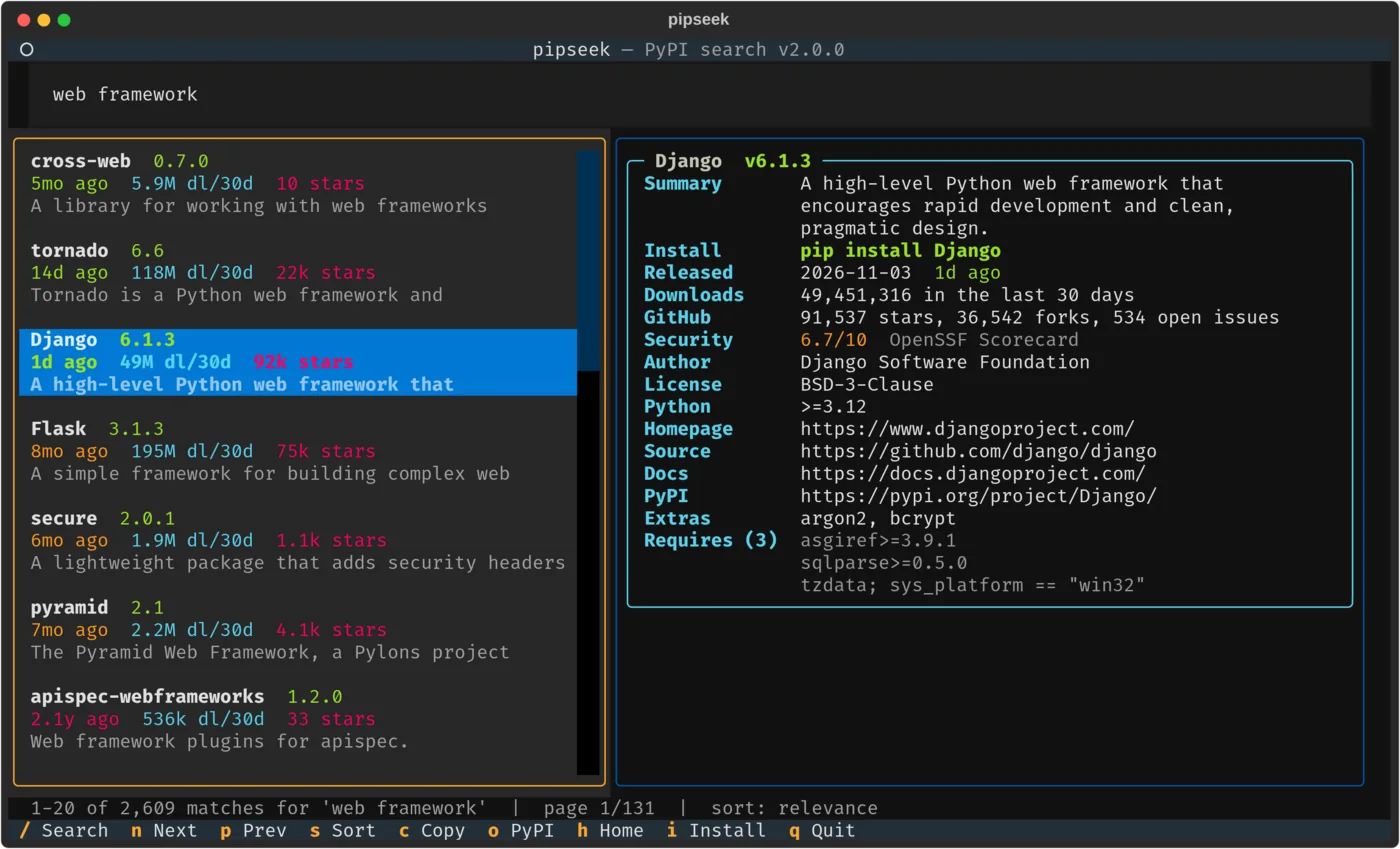
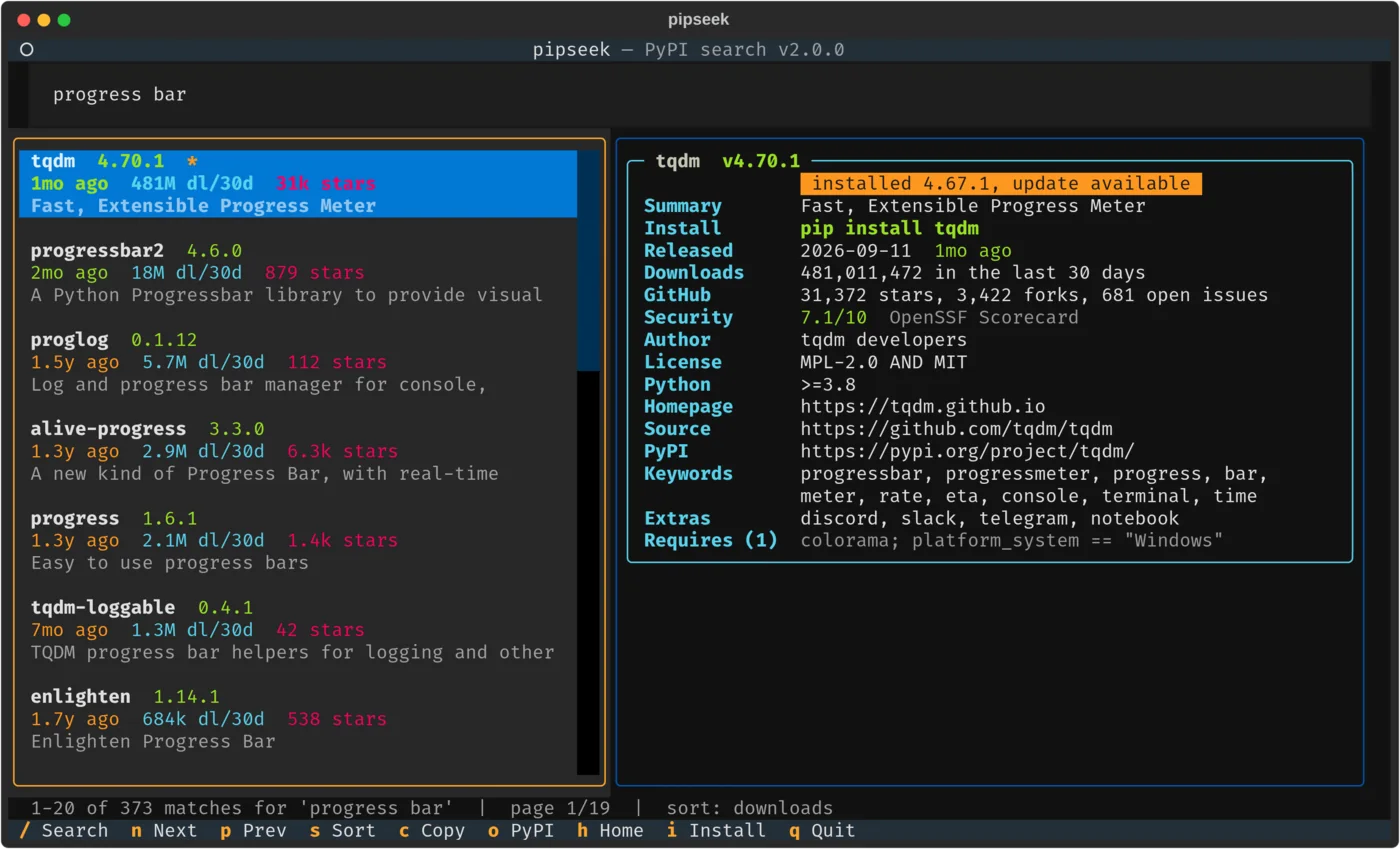
Full-text search over every project's name, summary and keywords. pipseek "progress bar" finds tqdm, pipseek "web framework" finds Django, Flask and Tornado, and pipseek requests still puts requests first.
Ranked the way you'd expect
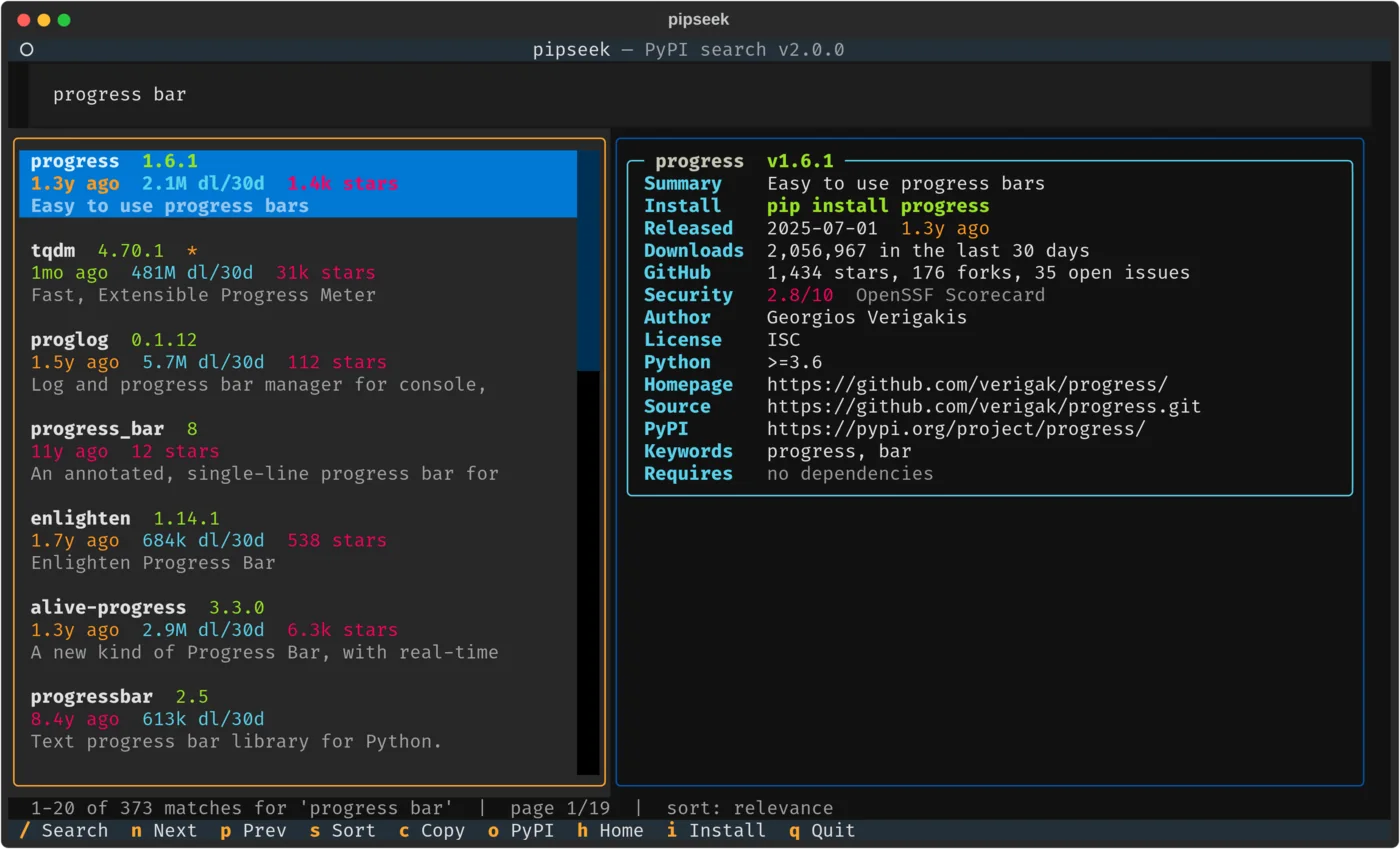
Exact and prefix name matches, BM25 relevance over descriptions, and real 30-day download counts, so popular packages beat empty placeholders named after your search.
An interactive TUI
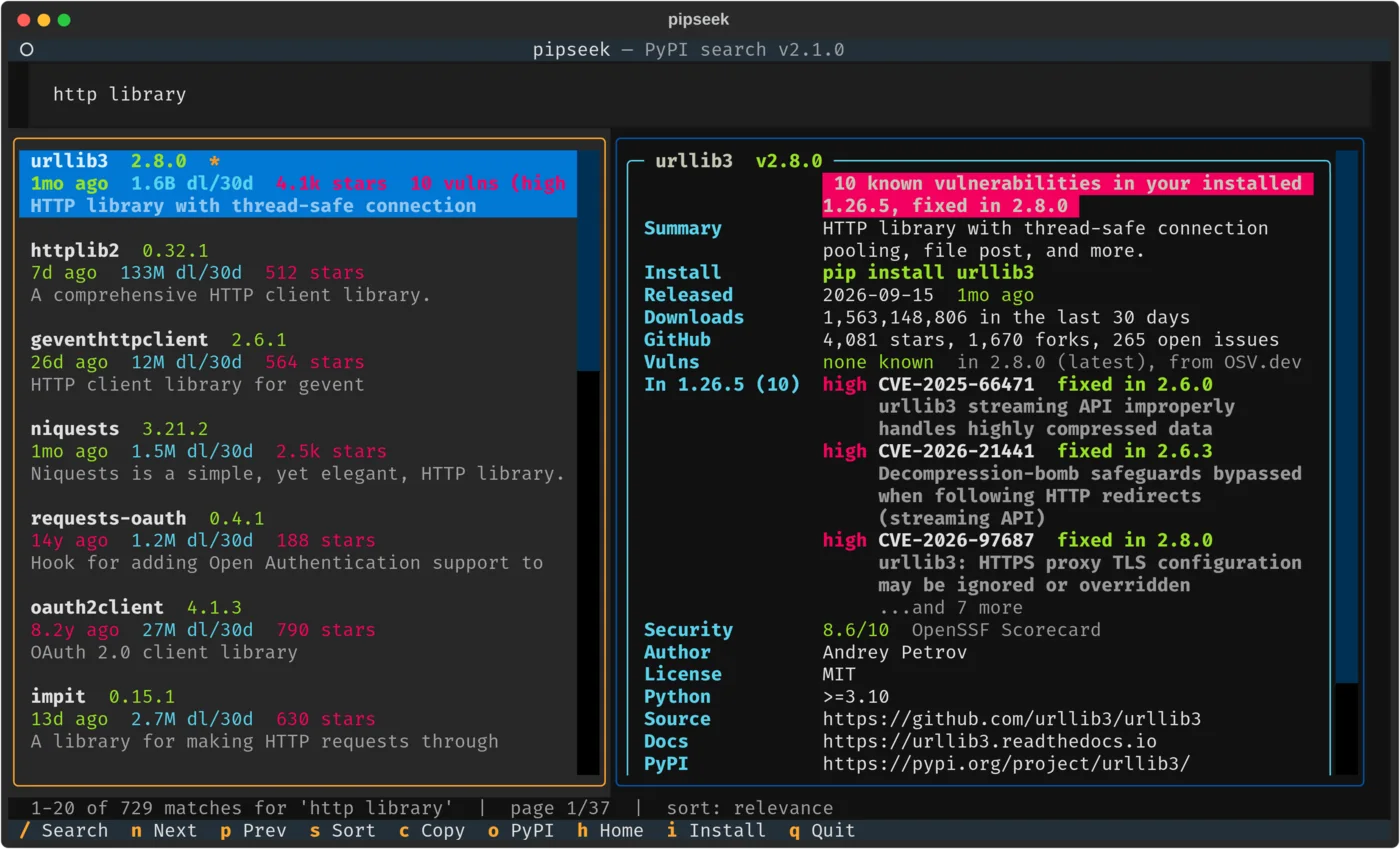
A search box, a results list and a detail pane that follows your cursor, built on Textual. Five sort orders and paging.
Known vulnerabilities
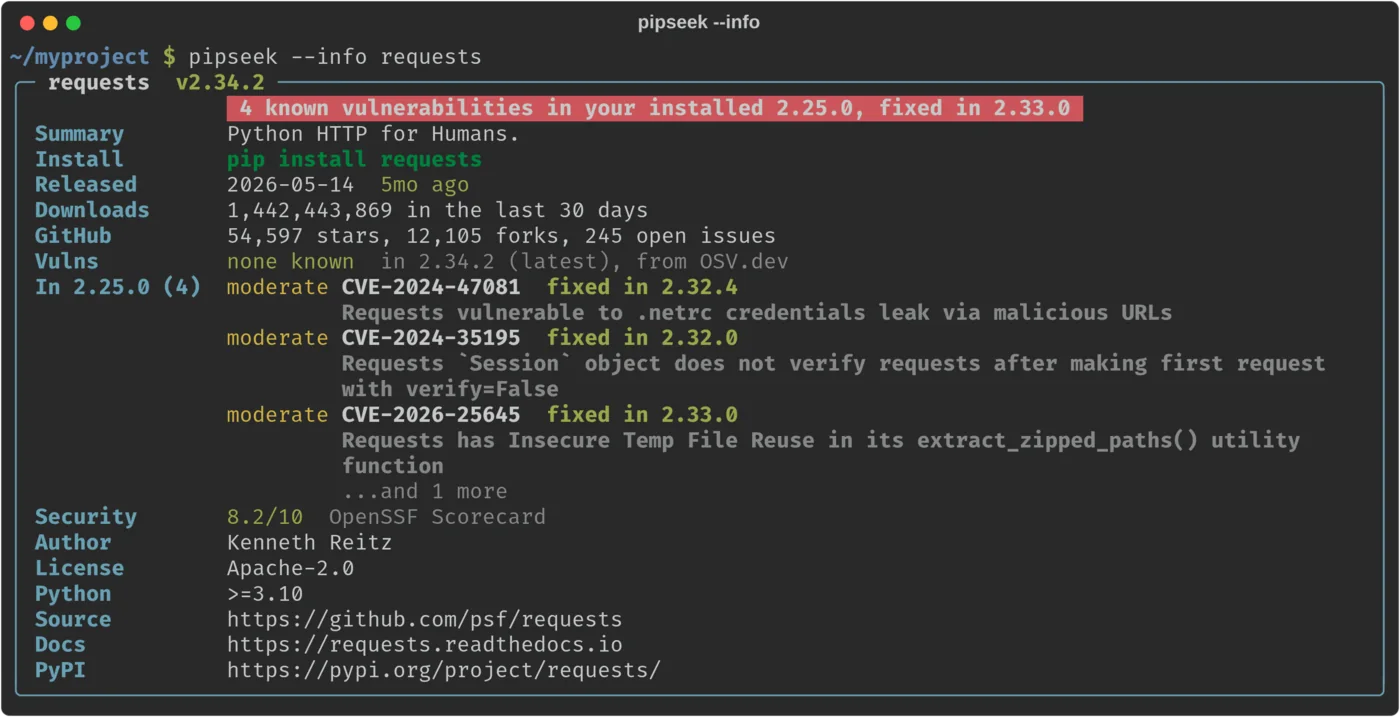
From OSV.dev, for the latest version and the one you have installed, with severity, CVE and the version that fixes it.
Rich details
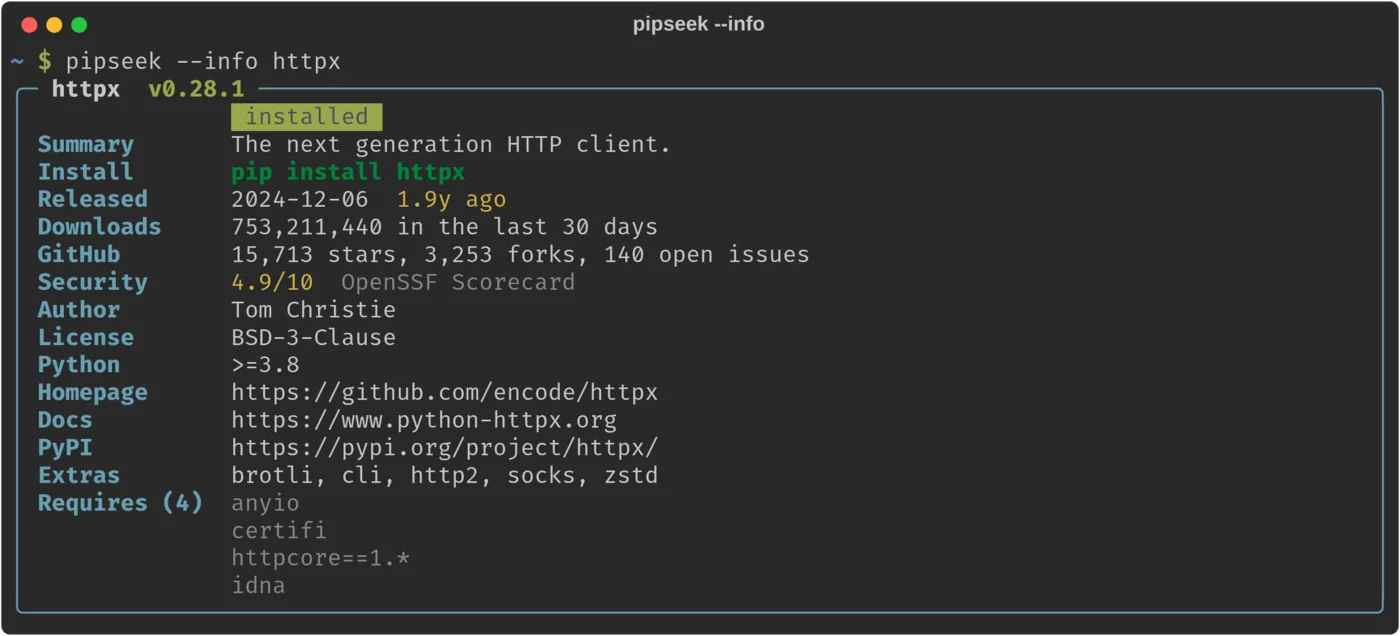
Version, release age, downloads, stars, open issues, the OpenSSF Scorecard, license, Python requirement, links, extras and dependencies. Text from PyPI is always shown as plain text, so a package can't hide links, fake badges or crash a search.
Knows your environment
Marks packages already installed in your active virtualenv or conda env, flags updates, and installs or upgrades with one key.
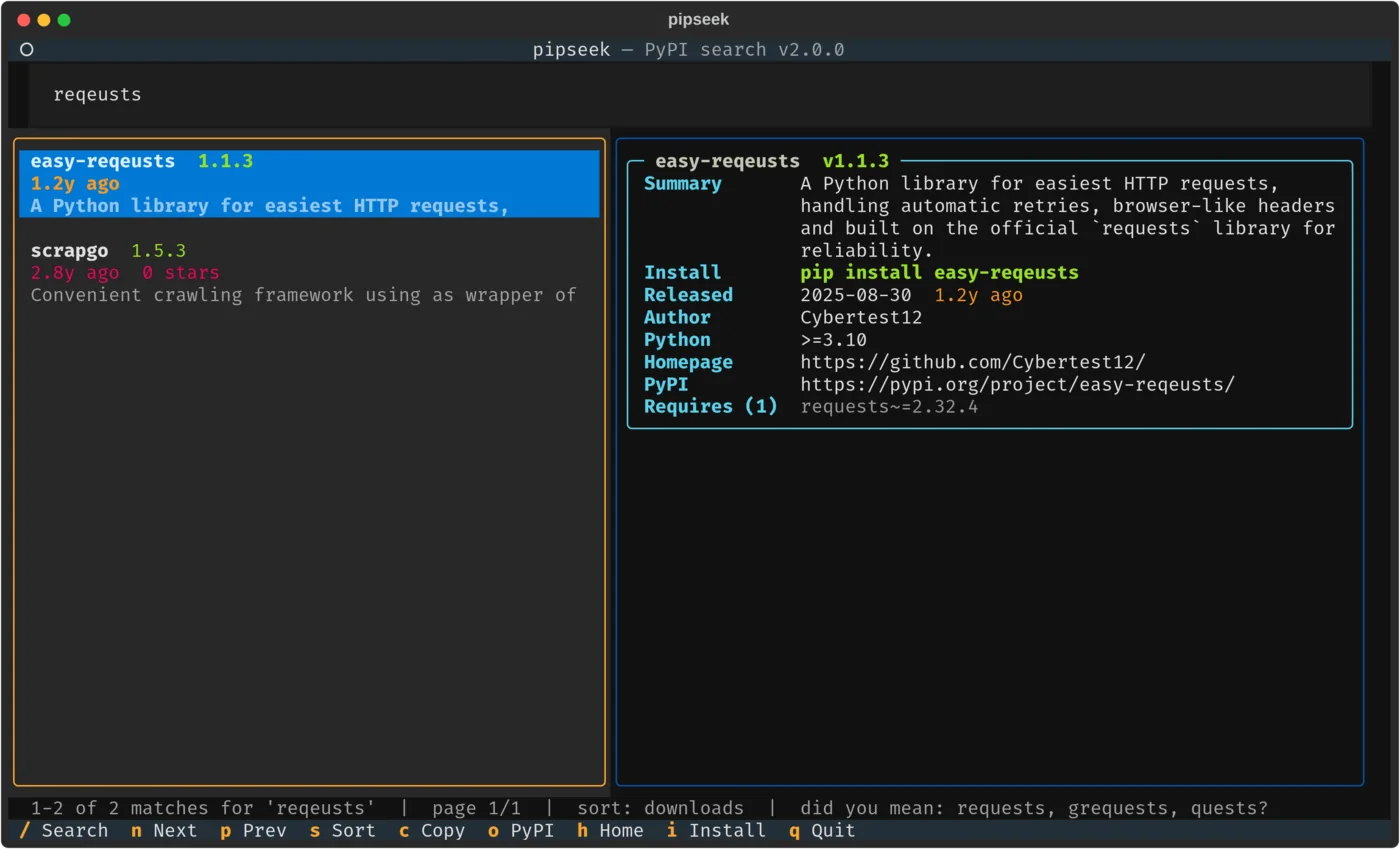
"Did you mean?"
Typo suggestions drawn from popular packages first, so reqeusts points you to requests.
Script-friendly
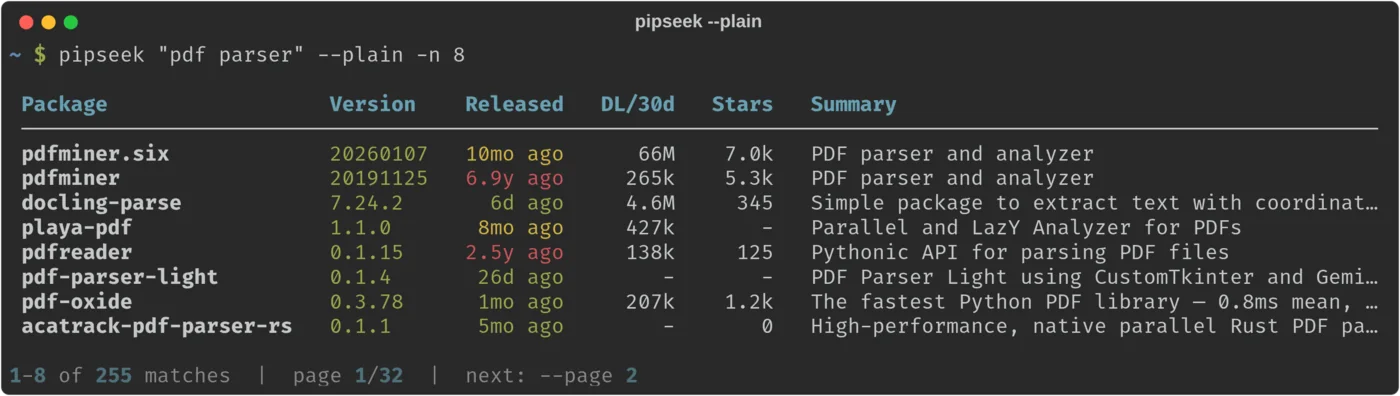
--plain prints a table, --json gives structured output for jq, and piped output switches to plain mode on its own.
In the terminal.
Tap one to see it full size.
One command.
pipx or uv keep pipseek in its own isolated environment, which is the cleanest way. Plain pip works too.
$ pipx install pipseek
$ pipseek "web framework"
$ pipx upgrade pipseek         # later
$ uv tool install pipseek
$ pipseek "web framework"
$ uv tool upgrade pipseek      # later
$ pip install pipseek
$ pipseek "web framework"
$ pipx install git+https://github.com/ohmybahgosh/pipseekThe latest code from GitHub instead of the PyPI release.
The first run downloads the search index (about 35 MB), checks it against its published SHA-256 checksum and builds a local database from it, which takes about 10 seconds and peaks around 60 MB of memory. After that it refreshes on its own once a week, or whenever you pass --refresh. Upgrading from the v1 script? Remove the old /usr/local/bin/pipseek first so it doesn't shadow the new command.
Keys for the TUI.
| key | action |
|---|---|
/ | Focus the search box (Enter runs the search) |
↑ ↓ or j k | Move through results; the detail pane follows |
n / p | Next or previous page |
s | Sort by relevance, downloads, updated, name or stars |
c | Copy pip install <name> |
o / h | Open the package on PyPI, or its repository |
i | Install it, or upgrade it, after showing you the exact command |
q | Quit |
Or for scripts.
$ pipseek "pdf parser" --plain -n 8   # a table
$ pipseek http -s downloads -n 10     # top 10 by downloads
$ pipseek --info requests             # one detail card
$ pipseek django --json | jq '.[].name'
$ pipseek yaml --plain --page 2
What's out of date. What's vulnerable.
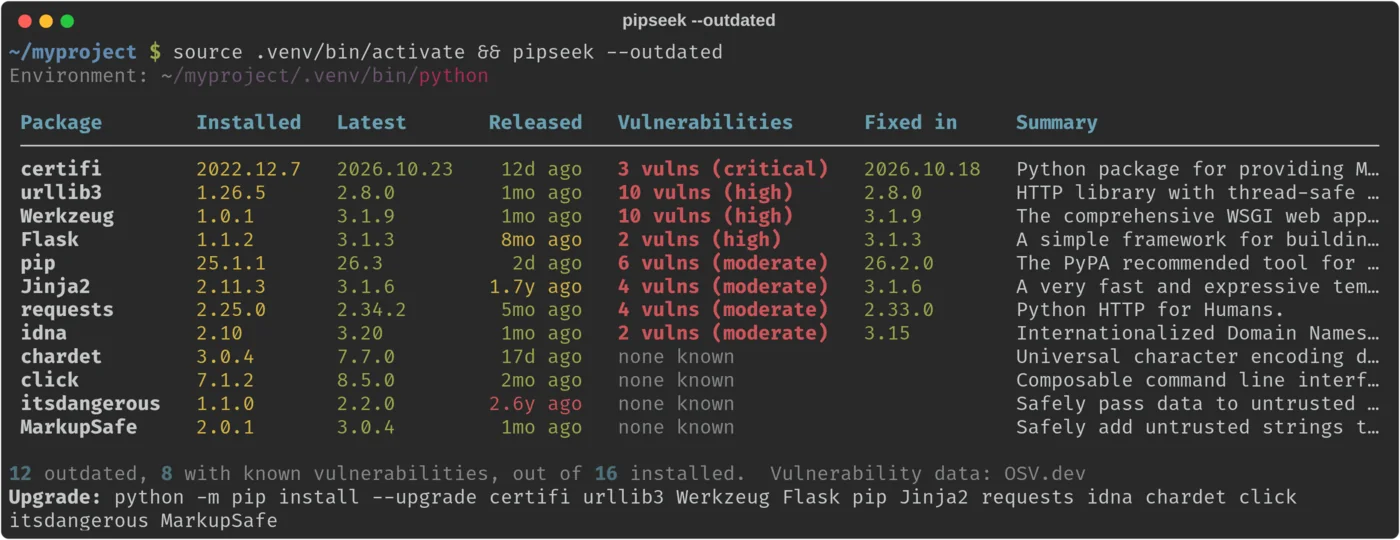
pipseek --outdated checks every package in your environment against PyPI and OSV.dev, puts the vulnerable ones first, and ends with the upgrade command.
$ pipseek --outdated            # worst first
$ pipseek --outdated --all      # every package
$ pipseek --outdated --json     # for scripts
$ pipseek --outdated --strict   # fail CI if vulnerable
$ pipseek --outdated --no-stats # skip OSV.dev
| --strict exit | meaning |
|---|---|
0 | Nothing installed is known to be vulnerable |
1 | Something installed has a known vulnerability |
2 | Some lookups failed, so the check is incomplete |
It checks the same environment pipseek uses for installed badges: your active virtualenv, otherwise the first python3 on your PATH, or whatever you pass to --python. When a lookup fails, it says which packages it couldn't check instead of calling them safe: in --json, "vulnerabilities": null means unknown and [] means none are known. --no-stats skips the vulnerability checks and can't be combined with --strict, and --all and --strict only work with --outdated. On an OS-managed system Python, it still reports, but won't suggest pip install or install anything.
Its own index, rebuilt daily.
PyPI has no public full-text search API, so pipseek brings its own.
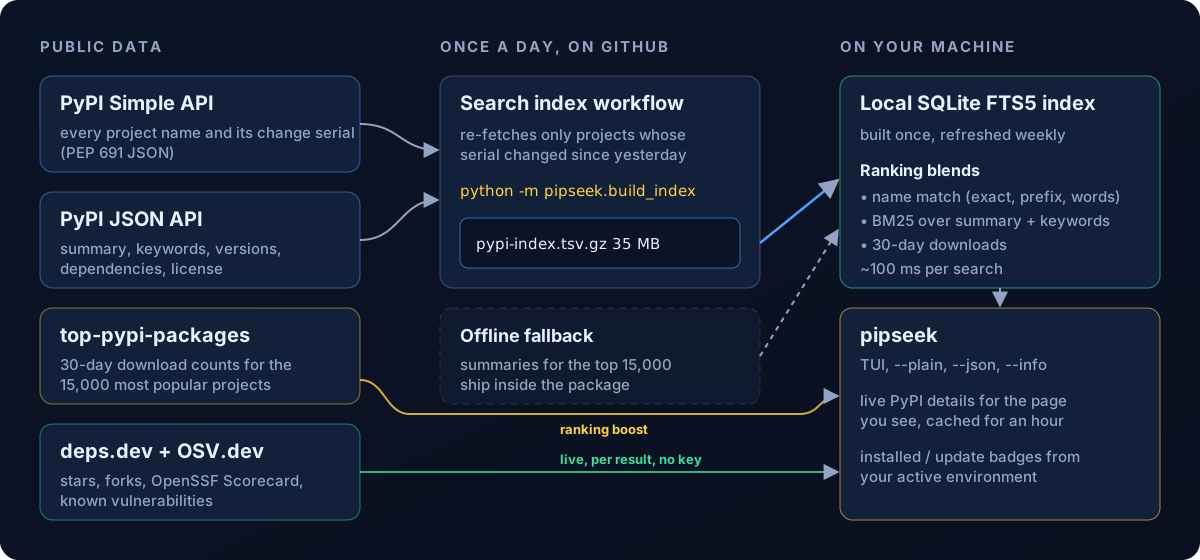
A daily GitHub Action
The PyPI Simple API reports a change serial for every project, so the build only re-fetches what changed since yesterday, and publishes the index with its SHA-256 checksum. A weekly watchdog checks that it's fresh and keeps the daily job switched on.
A local SQLite database
Once a week, pipseek downloads that file, checks its checksum and streams it into an FTS5 full-text database. A download that's corrupt, oversized or mostly missing summaries is rejected, and the database you already have is kept.
Each search
Name matches, BM25 relevance over summaries and keywords, and 30-day download counts, then live details for just the page you're viewing, cached for an hour.
A fallback that ships inside
If the index can't be reached, pipseek uses every project name from PyPI plus summaries for the 15,000 most popular projects, and tries again the next day.
Public data. No keys.
pipseek identifies itself to these services as pipseek/<version>, and the index workflow needs no secrets.
| data | source |
|---|---|
| Every project name and change serial | PyPI Simple API |
| Summaries, keywords, versions, dependencies | PyPI JSON API |
| 30-day download counts | top-pypi-packages by Hugo van Kemenade |
| Stars, forks, open issues, OpenSSF Scorecard | deps.dev by Google |
| Known vulnerabilities | OSV.dev by Google |
Questions.
Why not just use pypi.org/search?
How fresh are the results?
How much disk space does it use?
~/.cache/pipseek on Linux, ~/Library/Caches/pipseek on macOS, or %LOCALAPPDATA%\pipseek on Windows. pipseek --clear-cache removes it, along with everything else pipseek has cached.Does it work offline?
--info works the same way.Can I use my own index?
python -m pipseek.build_index --out pypi-index.tsv.gz builds one from PyPI's JSON API, over several runs the first time. Point PIPSEEK_INDEX_URL at it: an http(s) URL, a file:// URL or a local path.Is pipseek --outdated a replacement for pip-audit?
Does it change anything on my system?
i key in the TUI, which runs pip install after showing you the exact command, and refuses on an OS-managed Python.Was this written by AI?
Stuck, found a bug, or got an idea?
Open an issue on GitHub. For anything private, email me.
Release notes.
Every release and what changed, pulled from GitHub automatically.
loading releases…