
The IPTV player LG TVs never got.
A free, guide-first IPTV player for LG webOS, built to feel like TiviMate and go further. Bring your own Xtream Codes or M3U and XMLTV. Set it up from your phone in two minutes.
What no other IPTV player does.
TiviBro follows TiviMate's layout on purpose. These are the things we haven't found anywhere else, on any platform.
Set up from your phone
A QR code waits beside the login form. Scan it and the editor opens on your phone, signed in. Type your login with a real keyboard, and the TV moves on by itself.
A tour built from your playlist
Right after you connect, TiviBro counts what your list has and asks only about that: countries, East or West, local cities, event channels, duplicates.
Reads sports and PPV
"NCAAB 001 | NORTH FLORIDA @ CHARLESTON SOUTHERN" becomes NCAAB 001, with the game in the guide at its real time, in your time zone.
Fails over by itself
Same channel in FHD, HD and SD? When one dies, TiviBro moves to the next copy on its own and tells you.
My teams
Follow your NFL, NBA, NHL, MLB, WNBA and MLS teams. Their games from every channel gather near the top of the guide.
Logos for every channel
Missing logos filled in from iptv-org and tv-logos, matched by guide id, name, country and call sign.
A real editor
Clean up 10,000 channels with a keyboard and mouse, then Send to TV. Drafts, undo and version history.
Locked backups
Everything in one AES-256-GCM file. Restore onto a brand-new TV from the very first screen.
See it on the TV.
tap any shot to zoom


An editor that isn't a remote.
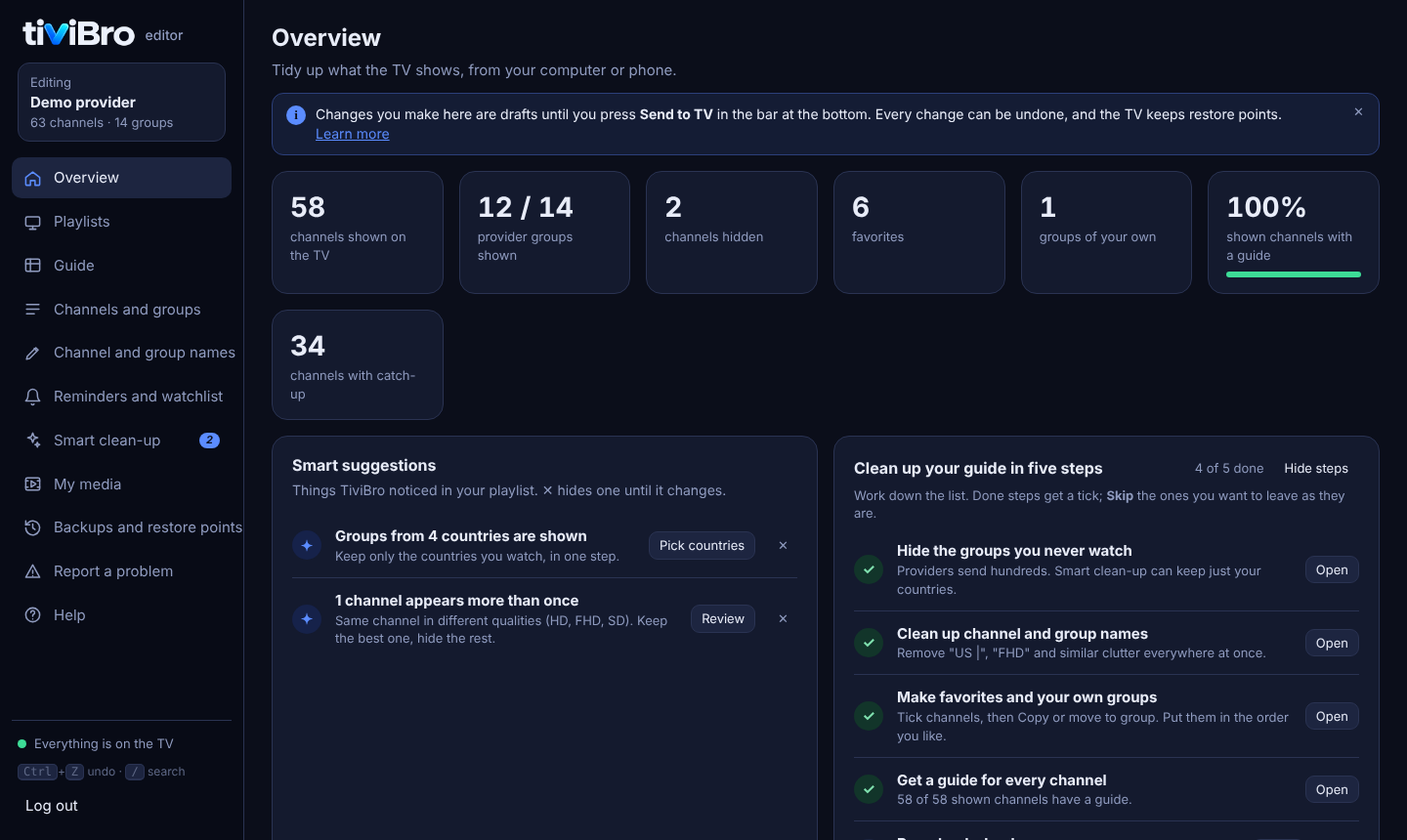
A companion web editor opens in any browser on your phone or computer. Rename, hide, sort, copy and match guides for hundreds of channels, with autosaved drafts on the TV and restore points. New TV? Restore everything in a minute.
Scan the QR on the TV
The editor opens on your phone, already signed in.
Clean up with smart tools
Preloaded name rules, East/West in one click, pick your city for every local group.
Send to TV
The TV picks it up in seconds. Unsent work is saved with version history.

TiviBro and TiviMate.
TiviMate is a great app. This is what TiviBro adds, and where it runs.
| feature | TiviBro | TiviMate |
|---|---|---|
| Runs on LG webOS TVs | ✔ webOS 4+ | Android TV, Fire TV |
| Price | Free, every feature | Premium is paid |
| Catch-up, multiple playlists, backups | ✔ Free | Premium |
| Open source | ✔ MIT | ✘ |
| Sports and PPV read from channel names | ✔ | ✘ |
| Edit from a computer, autosaved drafts | ✔ | On the TV only |
| Auto-switch to a working copy | ✔ | ✘ |
| Set up by scanning a QR code | ✔ From the first screen | Type with the remote |
| Fills in missing channel logos | ✔ Two open libraries | ✘ |
| Recording | Not yet | ✔ Premium |
TiviMate column from its own site and public guides, October 2026.
Release notes.
The newest builds and what changed, pulled live from GitHub Releases.
loading releases…
Get it on your TV.
Three ways in. The Homebrew Channel route updates itself.
Add the repository
Homebrew Channel, Settings, Add repository:
https://tivibro.app/repo
Want every test build first? Use https://tivibro.app/testing instead.
Install
TiviBro appears in the app list. Open it and choose Install. New versions show up as Update.
Scan the QR code
Open TiviBro and scan the first screen with your phone to add your playlist there.
Switch on SSH in the Homebrew Channel, log in as root, and run:
$ curl -fsSL https://tivibro.app/install | shDownloads the newest build, checks its SHA-256, installs it and starts TiviBro. Run it again any time to update. Options:
# newest test build
$ curl -fsSL https://tivibro.app/install | sh -s -- --pre
# a specific release
$ curl -fsSL https://tivibro.app/install | sh -s -- --tag v0.6.0
Put your TV in Developer Mode, then build and install from source:
$ git clone https://github.com/ohmybahgosh/TiviBro && cd TiviBro
$ npm install
$ npx ares-setup-device
$ npm run build
$ npm run install:tv
$ npm run launch
The TiviBro app for Android pairs with the TV: a remote, Play on TV from your channel list, volume, the full editor and Wake-on-LAN.
Questions.
Do I need a rooted TV?
Which playlists does it support?
Does it track me?
Found a bug?
Stuck, found a bug, or got an idea?
Pick a template and it fills in the right GitHub form for you. For anything private, email me.